Built for the South African operating theatre

The theatre's documentation, done in the time it takes to scrub in.

Capture anaesthetic records, operative notes, vital-sign charts, theatre lists and claims on your phone. AI does the typing — you confirm every entry.

Install the web app
or get it on mobile stores soon
Download on theApp Store
COMING SOON
Get it onGoogle Play
COMING SOON
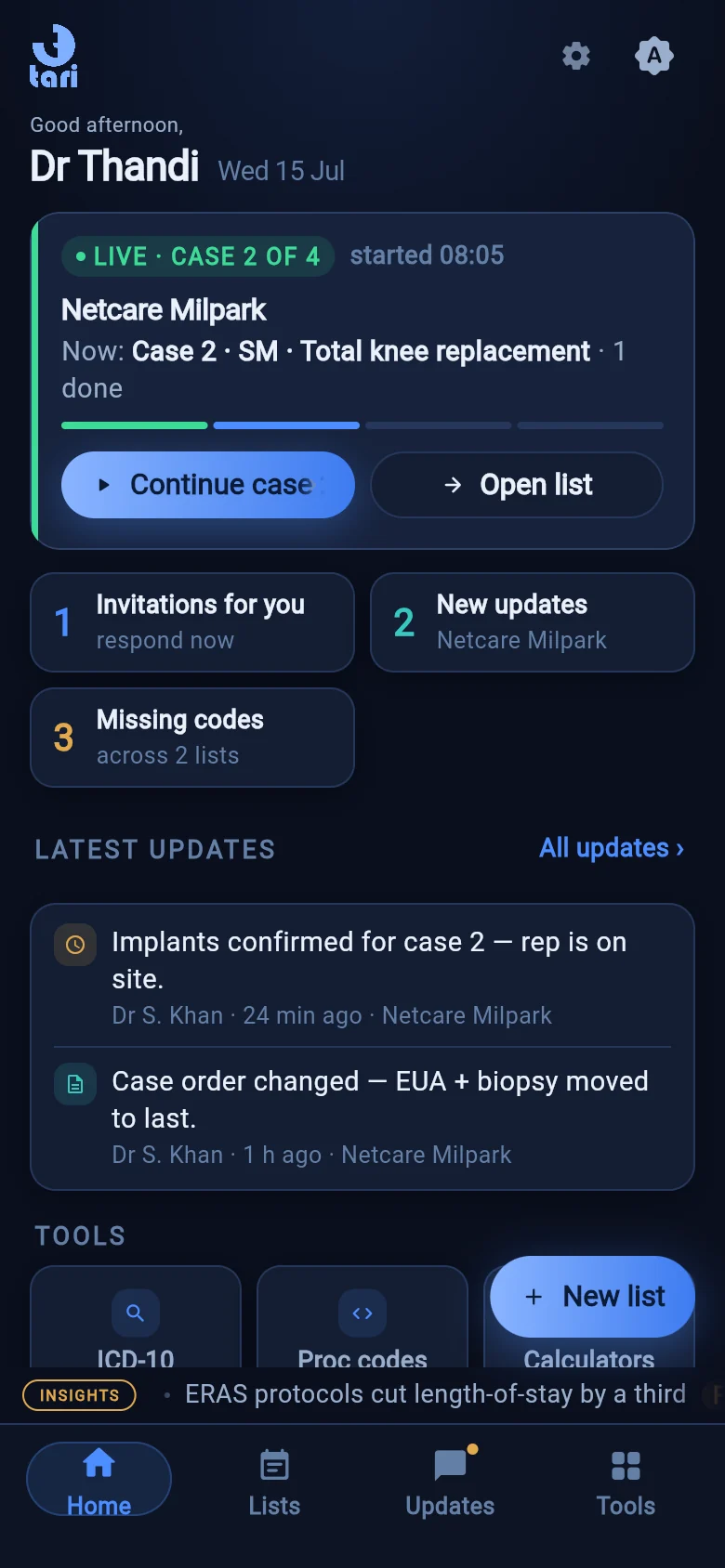
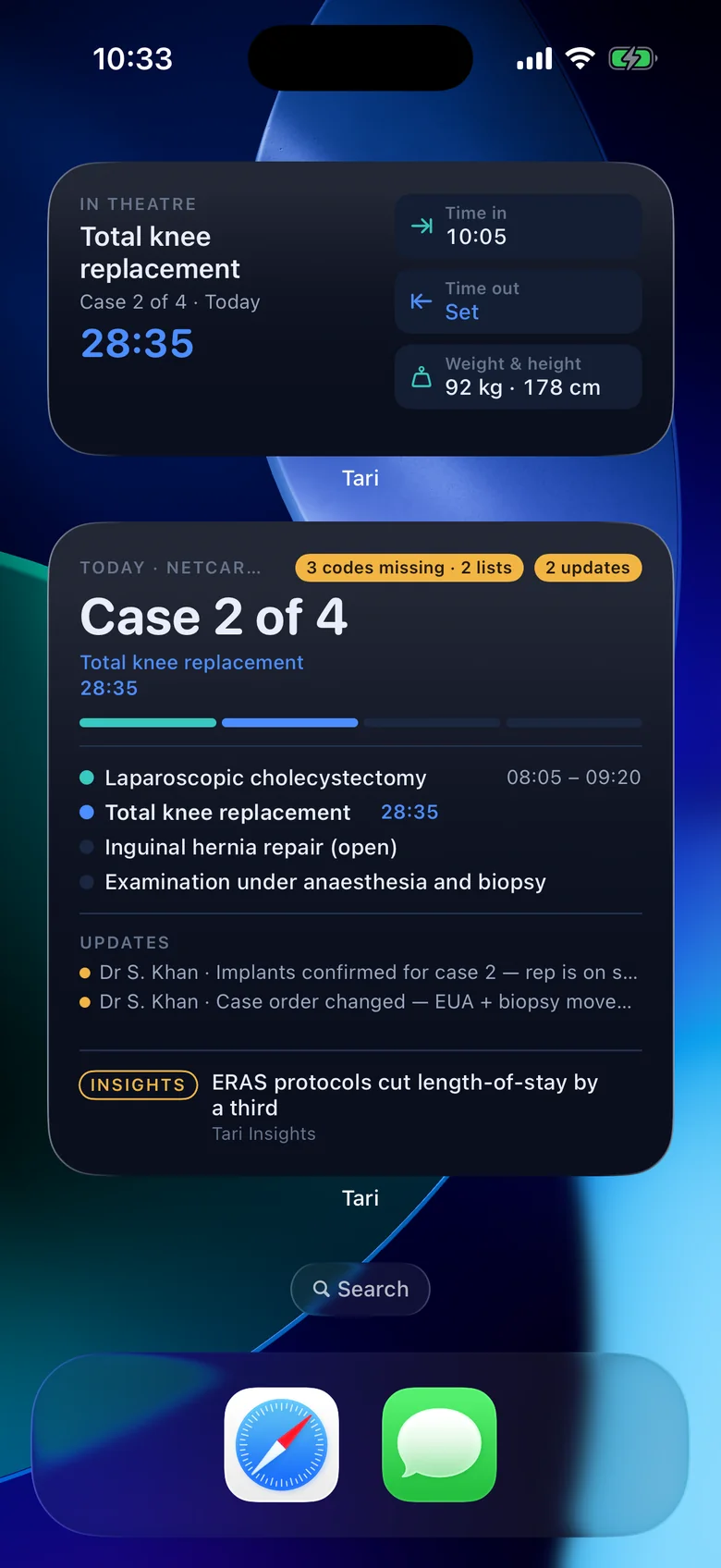
Tari Home tab — today's theatre list live, attention cards and quick tools
You confirm every entry
Privately hosted AI
End-to-end encrypted list sharing
HPCSA verification built in
POPIA-aligned handling
The way it works now

Handwritten anaesthetic charts, smudged and scattered across the case.

Re-typing the same notes into systems after the list is done.

Claims chased weeks later, with codes reconstructed from memory.

The Tari promise

Capture once, on your phone, right there in theatre.

AI drafts the note — you read it and confirm every entry.

Records, lists and claims flow from the same case data.

Everything the case needs

One capture. The whole record.

NEW Featured

Drug Image Identifier

Snap one photo of the drug tray. Tari separates each ampoule and vial, matches them on your device against a curated label library, and drops the drugs, doses and phases straight into your anaesthetic record.

Suggestions only — a confidence badge on every match
Barcode confirmation for look-alike vials
Same entry path as manual capture — nothing saved until you confirm
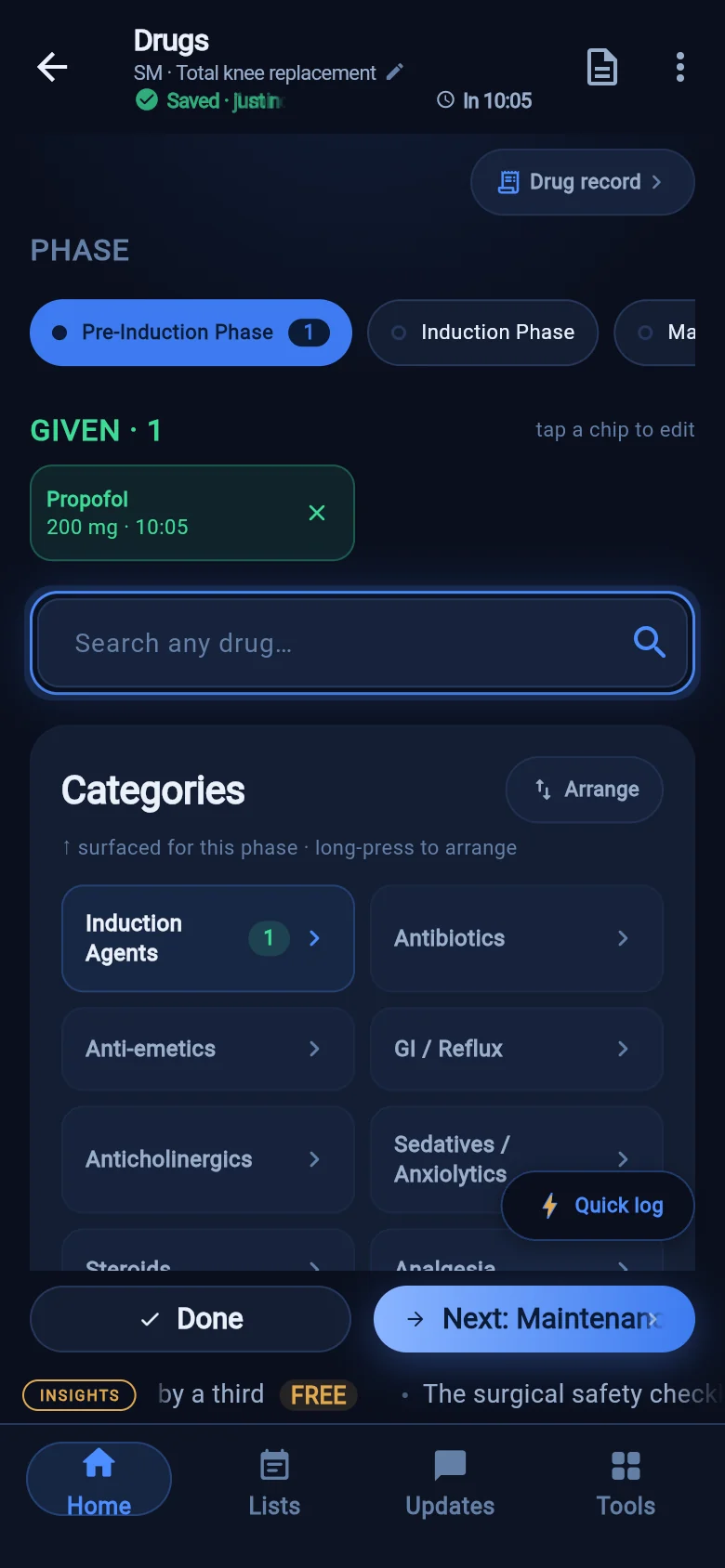
Tari drug capture — per-phase drug record with doses and times
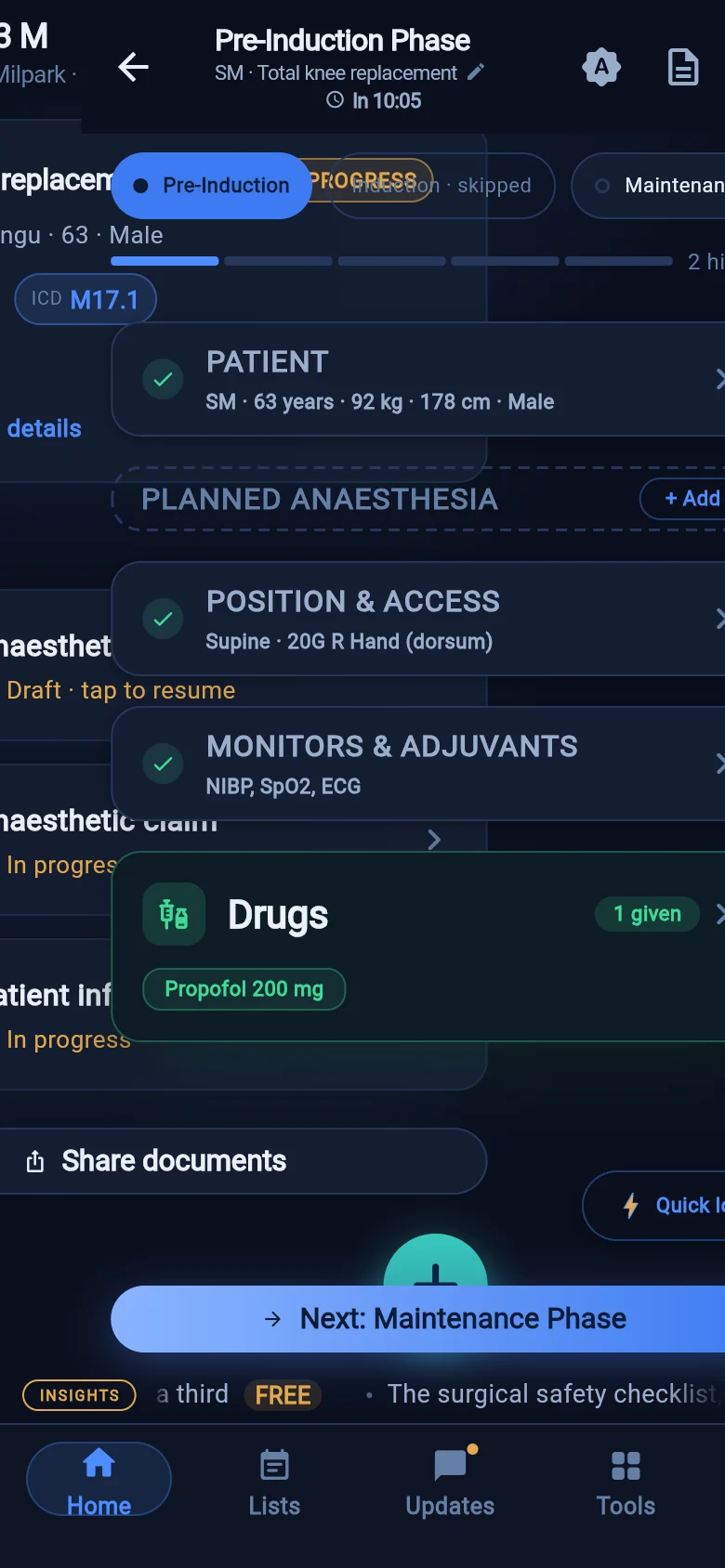
Tari anaesthetic record — seven-stage guided flow with progress strip

An anaesthetic record in seven guided stages

Pre-induction, induction, maintenance, emergence, recovery, vitals and summary — with a progress strip you can read at a glance. The flow adapts to your technique (a regional-only case dims what you don't need), and every entry autosaves as you go.

Vital-sign charts, read for you

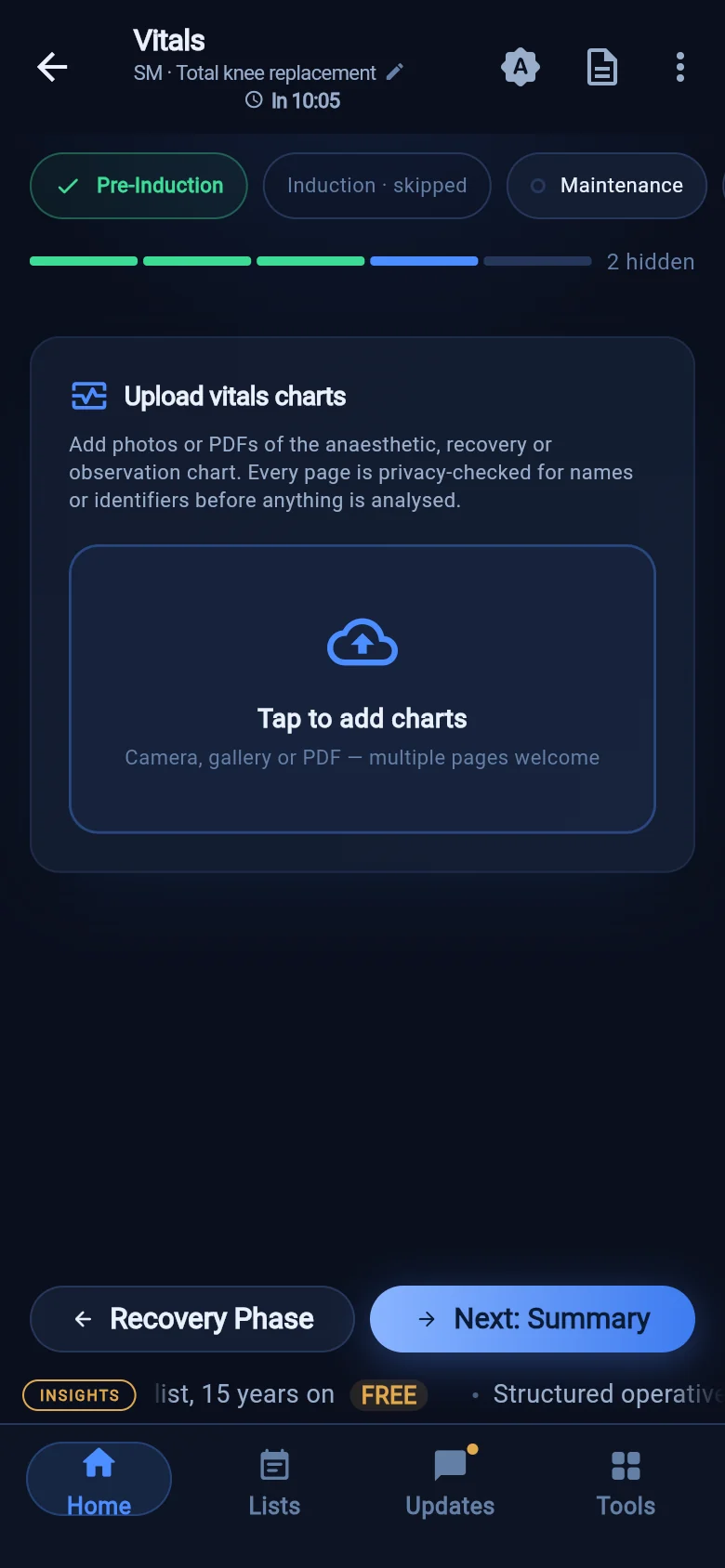
Photograph the intra-op vitals chart and Tari extracts the time-series into an editable, colour-coded trend dashboard. Every page is privacy-screened on your device before the AI reads it, uncertain values are flagged, and you correct any reading with a tap before it's saved.

Tari vitals trends — extracted intra-op time-series dashboard
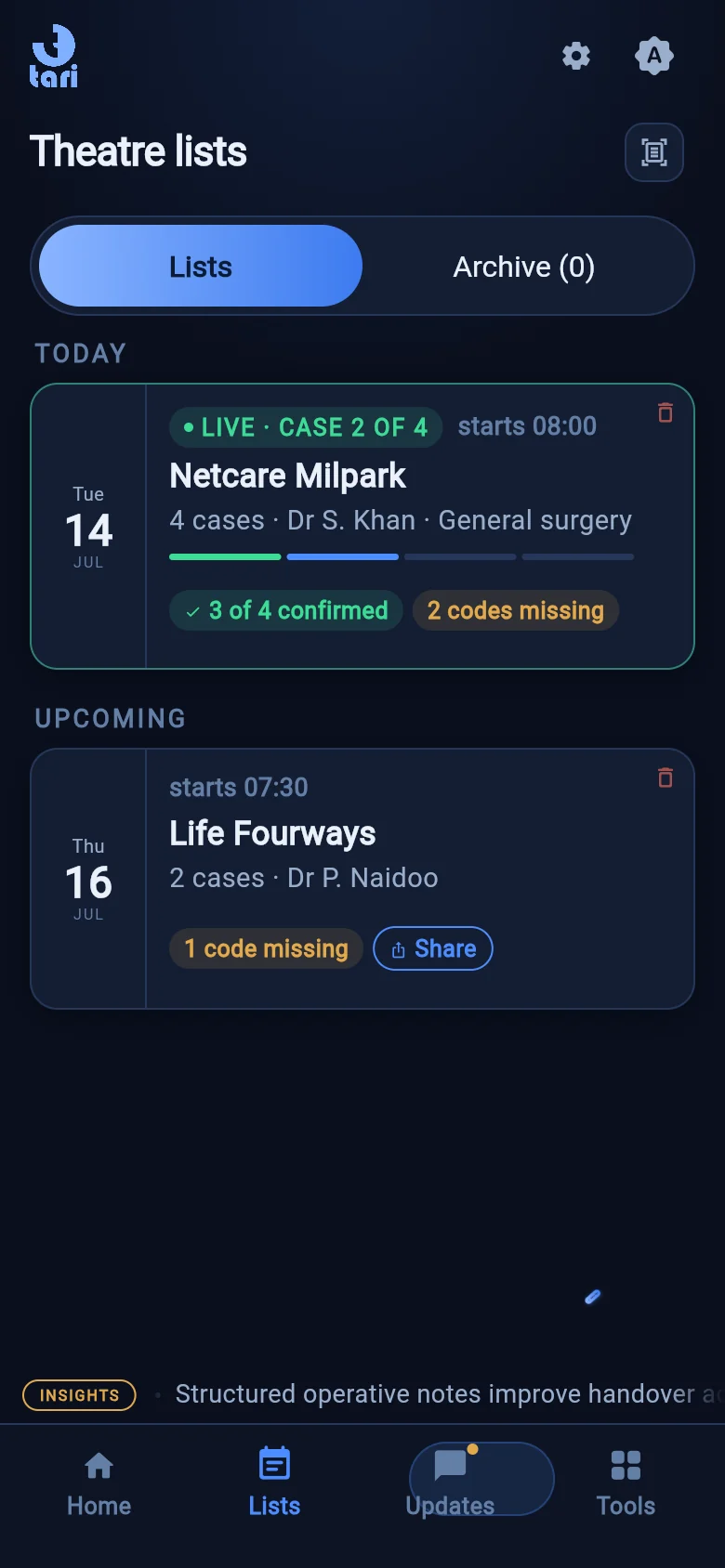
Tari theatre lists — today's list with case progress and shared team

Theatre lists that travel with the team

Build a list, or scan one from a photo. Share it end-to-end encrypted with the surgeon, anaesthetist and assistant — patient details are only readable by clinicians, edits sync live, and everyone is looking at the same theatre in real time.

R

Claims built from the case

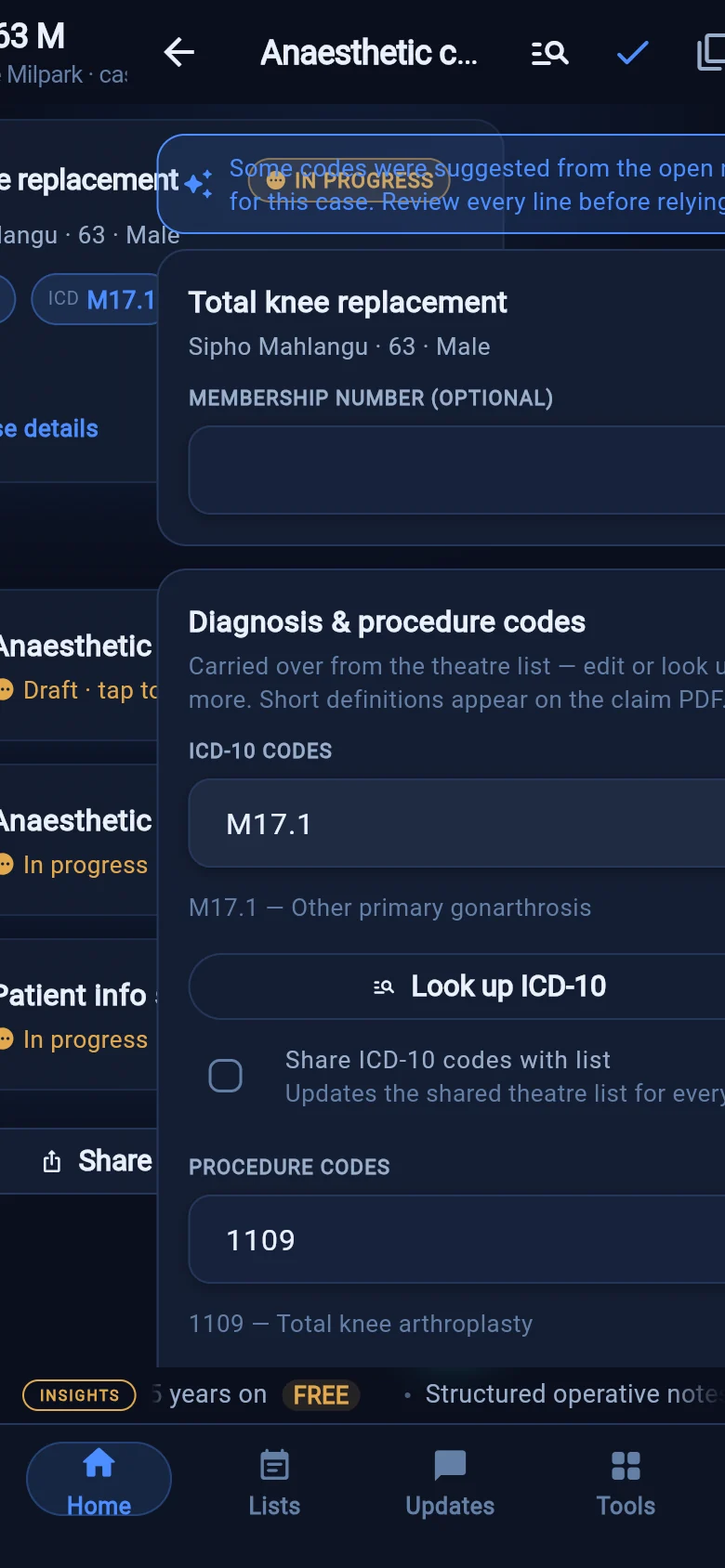
The claim builder works from the SASA Private Practice & Coding Guidelines: it suggests the codes from your case, theatre times and note — ASA modifiers, time units, blocks and lines included — then exports a professional claim PDF.

Tari claim builder — suggested SASA codes from the case

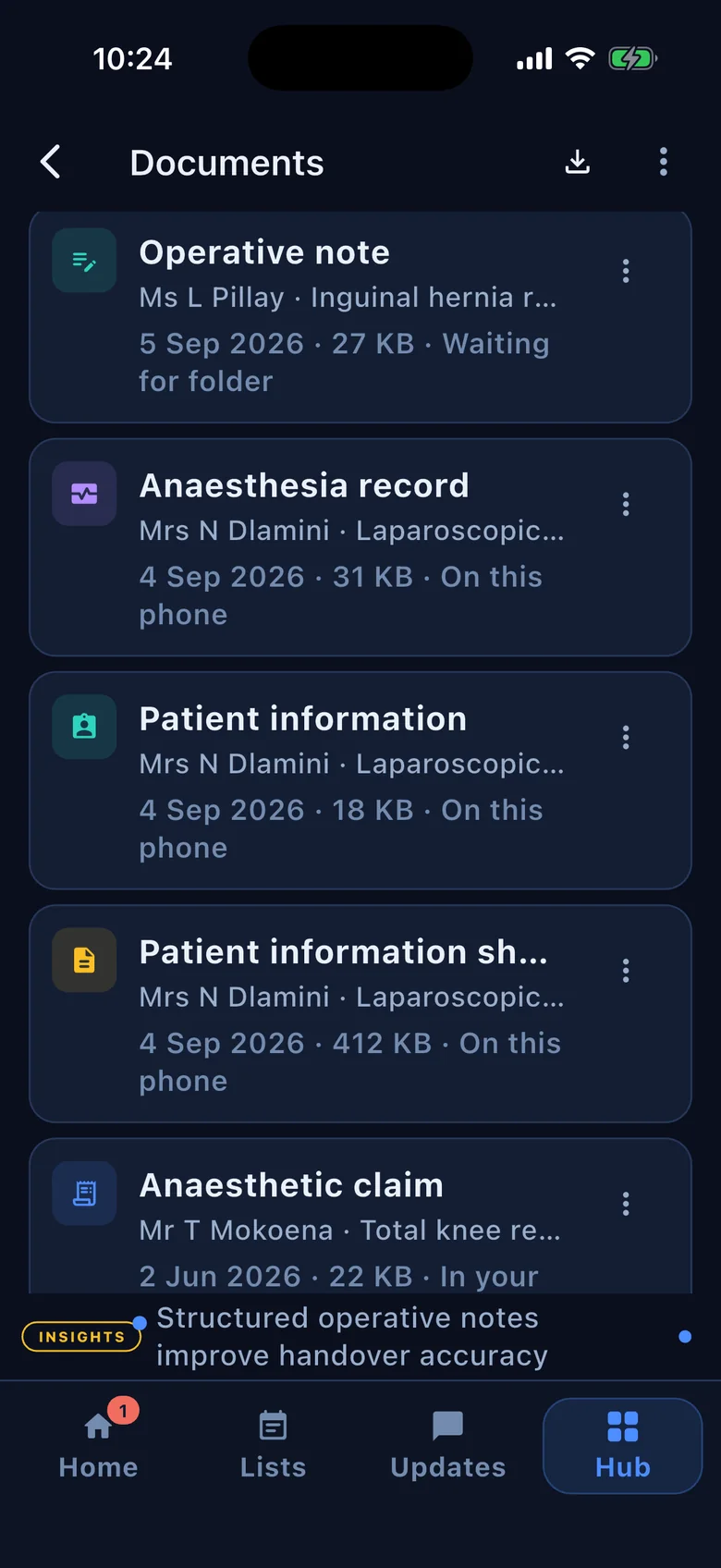
Operative notes from templates

Surgeons fill a structured template for the procedure and generate a clean, consistent operative note in moments — with a growing template library maintained centrally.

Laparoscopic cholecystectomy
Findings✓ filled
Procedure✓ filled
Closureediting
Generate op note

Your theatre, on the same page

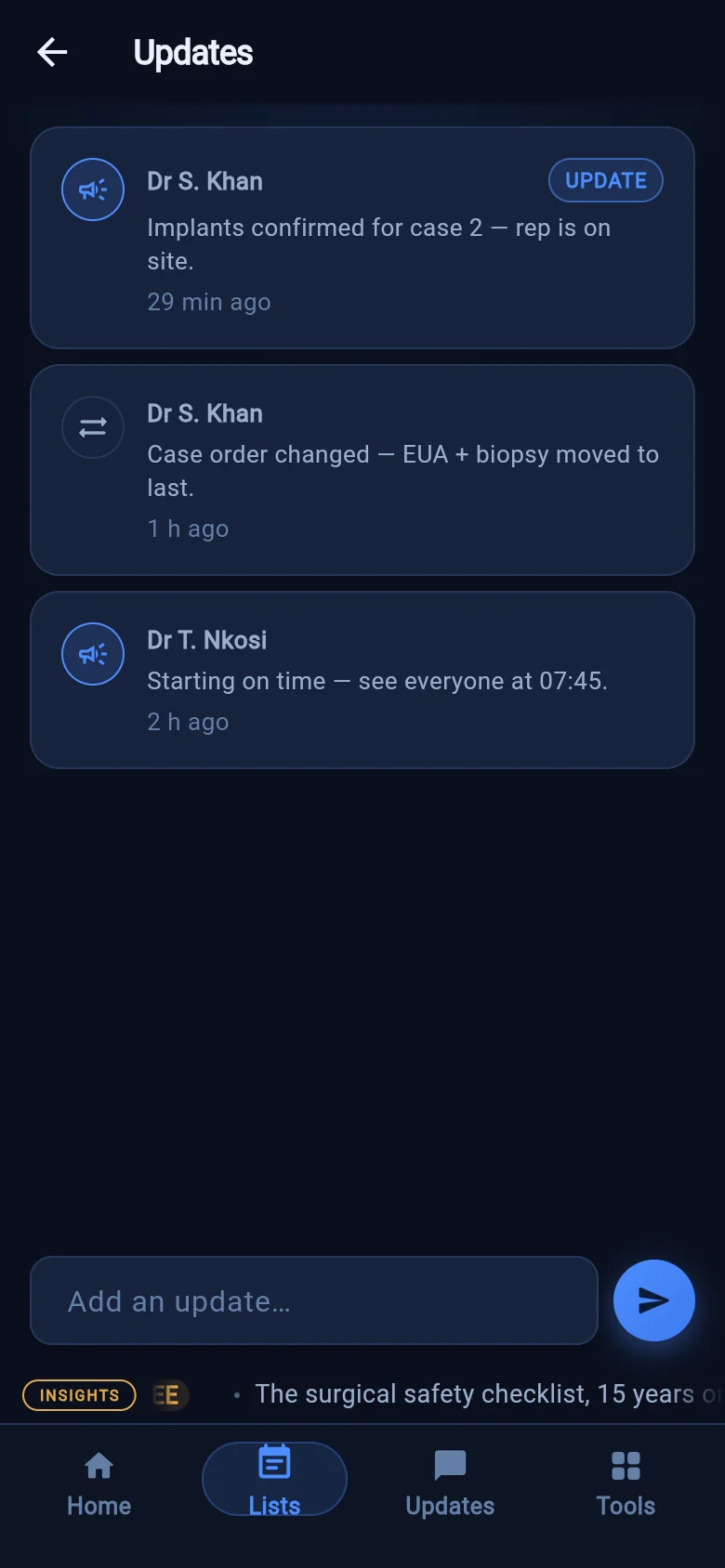
Match your contacts to Tari users, build role-based phone books and theatre teams, and keep everyone current with a live updates feed and team chat. Verify your HPCSA registration in-app to earn a verified badge on your profile.

Tari updates feed — live theatre-list activity from the team

…and more in every case

Patient info-sheet extractionLift demographics, history and medical aid straight from a photographed info sheet.
ICD-10 & procedure lookupThe SA ICD-10 master list and procedure codes, bundled on-device — AI ranks real codes, never invented ones.
OCR cross-checkYour device re-reads every scanned document and flags any field where the AI and the photo disagree.
Claimed-vs-paid reconciliationPair what you claimed against remittances and see what's outstanding at a glance.
Clinical calculatorsBMI, ideal body weight, weight-based doses and unit conversions — one tap from anywhere.
Curated clinical readsA quiet marquee of speciality-targeted clinical articles rides the bottom of the app.
Document shareShare exactly the PDFs you choose — claim sheet, note or patient info — through your phone's share sheet.
Make it yoursEight theme families with colour and font choices, light and dark — plus a Face ID / fingerprint app lock.
Privacy & safeguards

AI assists. The clinician decides.

Tari never files anything on its own. Every suggestion is yours to read, edit and confirm — and patient data is handled the way South African practice requires.

You confirm everythingNothing is filed until you've read it and tapped confirm. The clinician is always the final author.
Privately hosted AIPatient-identifiable documents are read by Tari's own privately hosted AI — not a shared public service, and never used to train anyone's models.
Screened on your device firstBefore a vitals page or statement leaves your phone, an on-device privacy screen checks it and personal identifiers are scrubbed.
End-to-end encrypted sharingShared theatre lists are encrypted on your device with keys only your team holds — patient details are readable by clinician members alone, and the server never sees them in the clear.
Curated, controlled librariesDrug matches and billing codes come from vetted, maintained libraries — the AI ranks real entries, it never invents them.
POPIA-aligned handlingRole-based access, content-free AI logging, and in-app account & data deletion — capture, storage and sharing built around South African privacy law.

Install Tari now

Tari installs straight from your browser as a progressive web app — it lives on your home screen and opens full-screen like a native app. No store, no waiting.

Open Tari in your browser
Soon on theApp Store
SOON
Soon onGoogle Play
SOON
QR code — scan to open Tari on your phone
Scan with your phone camera
iPhone & iPad
  1. Open tari in Safari (scan the QR or tap the button above).
  2. Tap the Share button in the toolbar.
  3. Scroll down and tap Add to Home Screen, then Add.
Tari appears on your home screen with its own icon and opens full-screen. On iOS the install option only shows in Safari — not in Chrome or in-app browsers.
Android
  1. Open tari in Chrome (scan the QR or tap the button above).
  2. Tap the ⋮ menu in the top-right corner.
  3. Tap Install app (or Add to Home screen), then confirm.
Chrome may also show an "Install" banner at the bottom of the page — one tap and it's done. Works in Edge and Samsung Internet too.
Desktop
  1. Open tari in Chrome or Edge.
  2. Click the install icon at the right end of the address bar.
  3. Click Install — Tari opens in its own window, pinned like any app.
Handy for the practice desk: claims, reconciliation and list prep on a big screen, same account as your phone.
Questions

Answered straight

Yes — this is the part we built first. Patient-identifiable documents are read by Tari's own privately hosted AI, not a shared public service, and are never used for training. Before a page even leaves your phone, an on-device privacy screen checks it and identifiers are scrubbed where the AI doesn't need them. Shared theatre lists are end-to-end encrypted with keys only your team holds, and notes you capture live on your device. Handling is POPIA-aligned end to end, including in-app account and data deletion.
No — and it is designed not to. AI drafts and suggests; you read, edit and confirm every entry. Uncertain results are flagged — drug matches carry a confidence badge, extracted vitals mark doubtful values for review, and codes are ranked only from the real SASA and ICD-10 libraries. Nothing is recorded or filed without your confirmation.
No. Tari installs straight from your browser as a progressive web app — add it to your home screen and it opens full-screen like a native app, staying signed in between visits. Native App Store and Google Play versions are on the way; installing the web app now means you keep the same account when they land.
Your notes and theatre lists live on your device, so capture keeps working in a theatre with no signal and everything autosaves locally. The AI features — scanning a list, reading a vitals chart, identifying drugs from the cloud library — and team sync need a connection, and shared data catches up automatically once you're back online.
Specifically for it. The claim builder follows the SASA Private Practice & Coding Guidelines; the code lookup bundles the SA Department of Health ICD-10 Master Industry Table and procedure codes on-device; clinicians can verify their HPCSA registration in-app; and data handling is POPIA-aligned throughout.
Tari is in early access with invited clinicians while pricing is finalised. Write to us at hello@gettari.co.za and we'll share plans for individual clinicians and theatre teams as they're confirmed.